The screens you'll actually see
Once it's set up, nobody living with this thing needs to know about HPM, HSM, or the ☰ menu. Day to day, it's a small set of screens, reached by swiping or tapping — Home in the middle, Keypad one swipe right, and if you've configured them, Summary Dashboard one swipe left, then Controls Dashboard one swipe past that.
Home
where it sits, almost always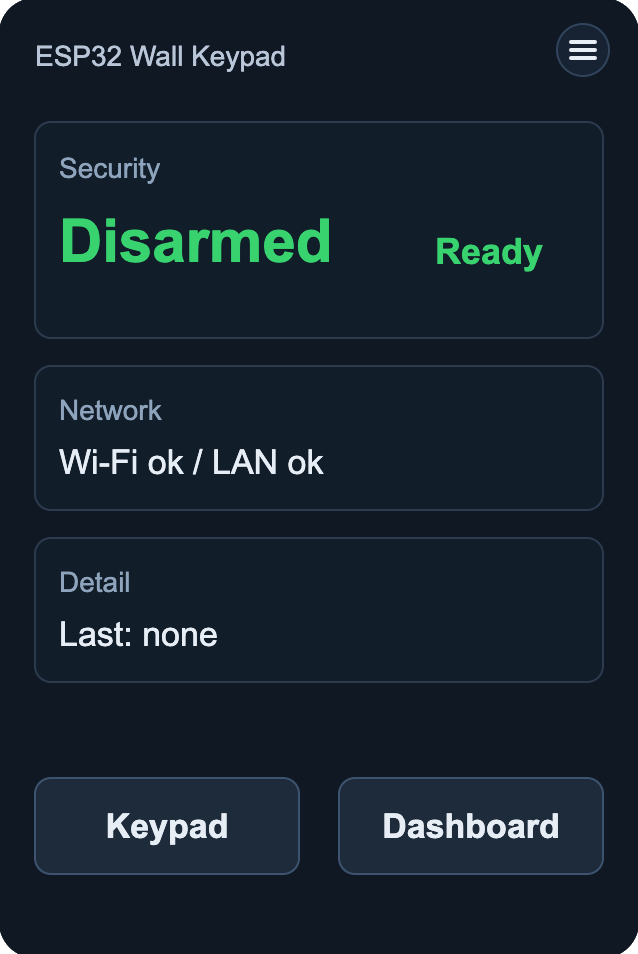
An at-a-glance summary, not something you interact with much. Three blocks:
- SecurityCurrent arm state and readiness — the same values shown in more detail on the ☰ → Status screen.
- NetworkA one-line health check — Wi-Fi and the active transport (LAN or MQTT), both confirmed
ok. - DetailThe most recent event;
noneuntil something's happened.
Below that, buttons for the other screens — Keypad always, and Dashboard if you've configured one. That button leads to Summary Dashboard; Controls Dashboard, if you've set one up, is one swipe further still.
Getting around
swipe or tap — same resultSwipe right from Home for Keypad · swipe left for whichever dashboards you've set up. With both configured, Summary comes first and Controls is one swipe further — each swipe only moves to the screen next to it.
Every button does the same thing as its matching swipe — tap Keypad or Dashboard on Home, or tap Home from the screens that have that button, if it's easier than swiping.
It comes back on its own
30-second idle timeoutLeave the keypad on any screen — Keypad, Summary, Controls, or one of the ☰ menu screens — and after 30 seconds of no input it returns to Home by itself. You never have to remember to swipe back.